
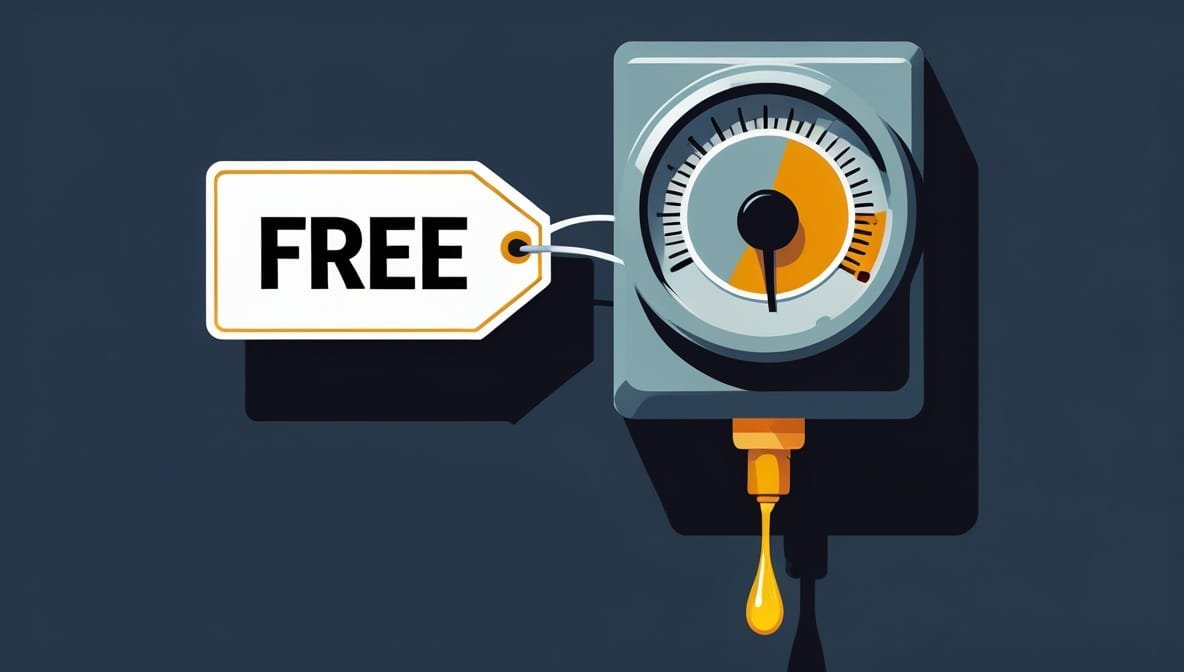
OpenClaw pricing confuses almost everyone, because the software is free and the bills are very real. That gap is where people get burned. You download an open-source tool that costs nothing, and two weeks later you are staring at a $141 charge wondering what went wrong.
This guide breaks down OpenClaw pricing in 2026 completely: what the software costs (nothing), what running it actually costs, the 5 mistakes that cause shocking bills, and exactly how to keep your monthly spend in the sensible $20 to $50 range.
One naming note first, because it trips people up. OpenClaw is the tool you may still know as ClawBot or Clawdbot. Same project, renamed after a trademark dispute in early 2026, now shipping its powerful version 2.0 release. If you searched for ClawBot pricing and landed here, you are in exactly the right place.
OpenClaw Pricing: The Quick Answer
OpenClaw pricing has three parts, and only two of them cost you anything.
The software is completely free. It is released under the MIT license, so you can download, run, and modify it forever without paying a cent. There is no subscription, no Pro tier, no per-seat fee on the software itself.
The hosting is cheap. OpenClaw needs a computer that stays on so your agent can work while you sleep. That is either hardware you already own (free) or a small cloud server at roughly $4 to $20 a month.
The AI model is where nearly all the money goes. Every time OpenClaw thinks, reads, or replies, it calls an AI model and burns tokens, and tokens cost money. For most setups this is 90% or more of your total OpenClaw cost, and it swings from a couple of dollars to several hundred based on choices you fully control.
Put together, most people spend $20 to $50 a month. Light use stays under $13. Careless use blows past $200. Let us break down each piece.
OpenClaw Cost Part One: The Software Is Genuinely Free
This part is refreshingly simple. OpenClaw costs zero dollars to own.
It is MIT-licensed open-source software. You download it from its public repository, install it, and run it. There is no paywall on the code, no dashboard fee, no trial that quietly converts into a subscription. Community-built skills and add-ons are free too.
So when a headline says OpenClaw is free, that is the honest truth. It just is not the whole truth, because free software still has to run somewhere, and it still has to think, and neither of those is free.
OpenClaw Cost Part Two: Hosting Your Agent
OpenClaw is built to be always on. That is the entire point: an agent that checks your inbox, runs a scheduled job, or reacts to a message while you are away. To do that, it needs a machine that never sleeps.
You have three hosting choices, and they set very different starting points for your OpenClaw pricing.
Use hardware you already own. An old laptop, a spare Mac Mini, or a home server you keep running anyway adds nothing beyond electricity. This is the genuine zero-dollar path. The catch is that the machine has to stay on and online, and you own the upkeep.
Rent a small cloud server. A basic virtual private server (VPS) with 2 CPUs and 4GB of memory is plenty for personal use and runs about $4 to $13 a month. This is the most common OpenClaw setup: cheap, reliable, always on, and it frees up your own laptop. You handle updates and the occasional restart yourself.
Use a managed OpenClaw host. Several services run OpenClaw for you, handling uptime, updates, and safe defaults, for a monthly fee that varies widely. You pay more than a bare VPS but carry none of the maintenance. For a business, this often costs less than the staff hours it replaces.
For most individuals, a $5 to $15 VPS is the honest recommendation. Cheap in dollars, and the maintenance is real but light. Hosting is the small, predictable part of OpenClaw pricing. It is the AI model that moves.
OpenClaw API Costs: Where the Money Actually Goes
Here is the part that determines almost your entire bill: OpenClaw API costs.
OpenClaw cannot think on its own. It is a framework that connects to an external AI model, and every action it takes consumes tokens from that model. Tokens are billed two ways: input tokens (your prompt and everything OpenClaw feeds the model as context) and output tokens (the model’s reply). Output usually costs several times more than input.
This is 90% or more of what you pay, and OpenClaw API costs swing across three orders of magnitude based on one decision: which model handles which task.
The spread between models is enormous. A budget model can cost cents per million tokens. A premium flagship can cost many dollars per million tokens on output. Running everything through the most expensive model is how a light workload becomes a heavy bill. Running a cheap model for routine work and saving the premium one for genuinely hard tasks, a practice called model routing, is how the same workload stays small. This is the biggest lever in all of OpenClaw pricing, and we will return to it.
The typical outcomes, based on what real users report:
Light personal use, such as email triage, daily summaries, and occasional web research on a budget model, stays comfortably under $13 a month.
Small-team or mixed use, routing between a cheap model for routine work and a premium one for complex reasoning, lands around $25 to $50 a month.
Heavy automation running premium models for everything can exceed $200 a month.
The difference between the second outcome and the third is not how much work you do. It is which model you point the work at.
Why OpenClaw Pricing Produces Shocking Bills
Now the part everyone searches for after the shock: the OpenClaw horror bills.
They are real. Users have reported $141 overnight, $250 burned on day one, $623 invoices, and in extreme cases four-figure monthly charges. If OpenClaw is supposedly a $20-a-month tool, how does anyone reach a $600 bill?
Almost always, one mistake: running heavy, always-on usage through a metered pay-as-you-go API key instead of a flat subscription.
Here is the mechanism. An autonomous agent does not call the model once and stop. It runs around the clock. It carries context, uses tools, reasons through steps, retries on failure, and occasionally loops when an automation goes sideways. A metered API key charges for every single token. A power user running an always-on agent can pass 100 million tokens in a month without noticing, and at premium-model rates that is hundreds of dollars.
The exact same usage routed through an AI subscription you already pay for can cost a small fraction of that. The big bills are a billing-model choice, not a property of OpenClaw itself.
The 5 Mistakes That Wreck Your OpenClaw Cost
Nearly every shocking OpenClaw bill traces to one of these five mistakes. Avoid them and OpenClaw pricing behaves.
Mistake 1: Metered API keys for heavy use. As above, always-on heavy usage on a pay-as-you-go key is the number one cause of ugly bills. For heavy users, a subscription can be five to ten times cheaper than a metered key for the identical work.
Mistake 2: Expensive idle heartbeats. OpenClaw wakes itself at intervals to check whether it needs to act. If those heartbeats point at a premium model, the agent burns roughly a few dollars a day doing absolutely nothing. That is a bill for a tool you are not even using.
Mistake 3: Looping automations. A single misconfigured skill stuck in a retry loop is like a burst pipe behind a wall. You do not notice until the flood. One silent loop can cost more than a workflow that fails loudly.
Mistake 4: No spending cap. Running without a hard monthly limit means nothing stops a runaway bill until the invoice arrives. Every major provider lets you cap spend and set alerts.
Mistake 5: Premium models for everything. Pointing every task at a flagship model, including trivial ones, multiplies your OpenClaw API costs many times over for no real quality gain on routine work.
How to Keep OpenClaw Pricing Low
Everything above points to a short, powerful list of controls that keep your bill in the sweet spot.
Route your models. This is the single biggest lever in OpenClaw pricing. Set a cheap model as the default and escalate to a premium model only for tasks that genuinely need it. In practice most requests do not need a flagship, and routing this way cuts your API bill by 60 to 80% with little noticeable quality drop.
Match your billing model to your volume. If you run the agent hard and always on, an existing AI subscription can be five to ten times cheaper than a metered key. For light use, under roughly 10 million tokens a month, a metered key can actually come out cheaper, so pick the billing model that fits your real usage.
Set a hard spending cap. Every major provider lets you set a monthly limit with alerts at 50%, 75%, and 90%. If the cap is hit, the agent simply stops, which is far better than a surprise invoice. Start with a small prepaid balance rather than an uncapped card.
Fix your heartbeats. Point idle check-ins at a cheap model or lengthen the interval, so an idle bot is not quietly billing you.
Turn off skills you do not use. Web browsing and code execution consume extra tokens on every call. Enable only what you need.
Monitor weekly. Glance at your provider’s usage dashboard once a week. A spike is either real growth or a looping automation, and you want to catch the second kind fast.
Do these six things and OpenClaw pricing is predictable and cheap. Skip them and it is a utility meter attached to a leaky faucet.
The Genuinely Free OpenClaw Pricing Path
For completeness, OpenClaw pricing can be truly zero, if you trade money for setup effort.
Run the software on hardware you already own, so hosting is free. Then point it at a free model: a local model through a tool like Ollama on your own machine, or a provider’s free tier where your usage fits inside the daily limit. Local models cost nothing per token because they run on your hardware, though they need a reasonably capable machine and will not match a paid flagship’s quality.
This path is real, and some people run it happily. It costs nothing in dollars and something in performance and setup time. For plenty of personal use, that is a fair trade.
OpenClaw Pricing Versus a Single AI Subscription
Worth a moment of perspective. People sometimes call OpenClaw expensive because the bill is a variable meter rather than a clean monthly number. But look at where the sweet spot lands.
Most individual users report $12 to $30 a month all in, comparable to a single AI chat subscription, for a tool that does vastly more than a chat window. The difference is that a subscription is a fixed, predictable line, while OpenClaw is a meter you control. The meter can be cheaper or pricier than the subscription depending entirely on how you configure it.
That is really the whole story of OpenClaw pricing. It is not inherently cheap or expensive. It is a set of knobs, and your bill is whatever you set them to.
If you are weighing OpenClaw against managed no-code platforms, our comparison of OpenClaw vs Make vs Zapier breaks down the pricing models side by side, and our guide to the best ClawBot alternatives covers the wider field. For general cost control, see our tips on reducing AI costs for small business.
Frequently Asked Questions About OpenClaw Pricing
Is OpenClaw actually free?
The software is genuinely free and open-source under the MIT license, so you never pay for OpenClaw itself. What you pay for is the server it runs on, which is free on your own hardware or roughly $5 to $20 a month on a VPS, and the AI model it calls, which is the largest and most variable cost. OpenClaw is free the way a car you already own is free: no purchase price, but fuel and upkeep still cost money.
How much does OpenClaw cost per month?
For most people, $20 to $50 a month. Light personal use on a budget model can stay under $13, while heavy use with premium models on everything can pass $200. Your OpenClaw cost depends almost entirely on which AI models you use and how you configure the agent, not on the software, which is free.
Why did someone get a huge OpenClaw bill?
Almost always because they ran heavy, always-on usage through a metered pay-as-you-go API key rather than a flat subscription. An autonomous agent runs around the clock and can consume enormous token volumes, and a metered key bills every token. The same work through a subscription, with model routing and a spending cap in place, would cost a fraction. Expensive idle heartbeats and looping automations are the other common causes.
What are OpenClaw API costs made of?
OpenClaw API costs are the token charges from whichever AI model your agent calls. You pay for input tokens (your prompt and context) and output tokens (the model’s response), with output usually costing several times more. These charges are 90% or more of your total OpenClaw pricing, which is why choosing cheaper models for routine work matters so much.
What is the cheapest way to run OpenClaw?
Run the software on hardware you already own so hosting is free, then point it at a local model through a tool like Ollama or at a provider’s free tier. That path can cost genuinely nothing, at the price of some setup effort and lower model quality. For a paid setup, the cheapest sensible approach is a $5 VPS plus aggressive model routing with a cheap default model.
Is OpenClaw pricing better than a managed automation tool?
It depends on what your time is worth. On raw infrastructure, self-hosting OpenClaw is cheaper than any managed subscription. On total cost, self-hosting means you carry setup, security, updates, and monitoring, so a solo tinkerer often comes out ahead while a business frequently finds a managed host costs less than the staff hours it would otherwise burn.
The Bottom Line on OpenClaw Pricing
OpenClaw pricing is not a number, it is a set of decisions. The software is free, the hosting is a few dollars, and the AI model is everything else, ranging from near zero to a few hundred dollars a month depending on which model you use and whether you set guardrails.
The people who get burned hear free, plug in a metered API key, point an always-on agent at a premium model, and set no spending cap. The people who stay in the happy $20 to $50 range route their models, cap their spending, fix their heartbeats, and check the dashboard once a week.
Free software, real bills. Know which is which, set the knobs deliberately, and OpenClaw is one of the best-value tools you can run in 2026. Treat free as free, and you will discover the hard way exactly where the money goes.

Mahdi Ayadi writes and edits AI Empire Media. He covers AI models, tools and pricing with one question in mind: is this actually worth paying for?
Before writing about software, Mahdi spent more than seven years selling it, in B2B SaaS sales and account management across cybersecurity, marketing technology and travel technology. That experience shapes how he reads vendor pricing pages, benchmark claims and feature lists, and it’s why his articles focus on real costs, trade-offs and sources readers can check for themselves.
He also builds AI-powered automation for sales and onboarding workflows, which informs his coverage of AI agents and automation tools. He works in English, French, Arabic and Russian.