
If you run a business, or several, here’s a question worth sitting with: what’s your total monthly SaaS spend, right now, to the nearest fifty dollars? Most owners can’t answer it. I couldn’t either. Running more than one business, I’d accumulated a stack of software subscriptions across both, and I had no single view of what I was actually paying for. That’s the exact problem a SaaS subscription tracker solves, and it’s why I built one.
This isn’t a story about a dramatic single number. It’s about a quiet, common, and expensive problem: subscription sprawl. You sign up for a trial, forget to cancel, and months later you’re still paying for a tool you touched twice. Multiply that across years of running a business and the graveyard of forgotten subscriptions gets costly. This guide covers why that waste happens, how a simple SaaS subscription tracker exposes it, and how to stop paying for software you don’t use.
The Problem Nobody Adds Up
Every business owner I know has some version of this issue, and the data backs it up hard. According to Gartner research, organizations waste roughly 30% of their SaaS budget on unused licenses, duplicate tools, and “shadow IT”, software bought without anyone tracking it. Studies consistently find that around half of SaaS licenses go unused within 90 days, and that companies routinely underestimate their true SaaS spend, sometimes by a wide margin.
The worst part isn’t the money itself. It’s that you don’t know the total. When spend is scattered across credit cards, PayPal, and annual renewals buried in your inbox, there’s no single number to react to. And a cost you can’t see is a cost you can’t cut. A SaaS subscription tracker’s entire job is to turn that invisible, scattered spend into one visible number you can actually manage.
Where the Waste Comes From
When you finally add everything up, the waste tends to cluster in three predictable places. Recognizing them is half the battle.
Duplicate tools. You end up paying for two products that do the same job, often because one tool quietly added a feature you were already paying another tool for. Same function, double the cost.
Zombie trials. You try something for a week, decide against it, and never cancel. It keeps charging quietly in the background, sometimes for the better part of a year before anyone notices.
Autopilot annual renewals. This is the sneakiest one. A tool renews once a year, so it never shows up in a monthly budget review. You can switch to a competitor and still get charged the old annual fee months later, because nobody’s watching the yearly cycle. A good SaaS subscription tracker catches all three by making usage and renewal dates visible in one place.
The System: One View, Three Questions
You don’t need complicated software to fix this. You need a single view that answers three questions at a glance, which is exactly what a well-built SaaS subscription tracker provides.
First, what am I paying in total? Not per-tool, the aggregate monthly number. This is the figure almost no one knows, and seeing it is often the wake-up call.
Second, what haven’t I used recently? Any tool marked as rarely used but still actively billed is a candidate for the cut list. Flagging these automatically is where a tracker earns its keep.
Third, what’s renewing soon? So you can decide to keep or cancel before the charge hits, not after you’ve already paid for another year.
The one technical trick that makes it all comparable: normalize everything to a monthly-equivalent cost. A tool that bills $120/year shows as $10/month, so you can compare it fairly against a $12/month competitor on equal terms. Once every subscription sits in one SaaS subscription tracker with its true monthly cost, usage level, and renewal date, the waste stops hiding.
Why the Fix Takes 15 Minutes, Not Hours
The first pass is the only part that takes real time, going through statements and recurring charges to log everything once. After that, maintaining a SaaS subscription tracker is almost nothing: a couple of minutes to add a new tool when you sign up for it, and a monthly glance at the dashboard to catch anything drifting toward “unused but still paying.”
That monthly glance is the whole discipline. It’s the difference between finding a forgotten subscription in month one versus month twelve. The tools that bleed money are exactly the ones you forget about, so the fix isn’t willpower, it’s a system that surfaces them for you.
The Broader Picture: Visibility Before Optimization
The principle here is simple and it applies far beyond software: you can’t optimize what you can’t see. The same logic drives smart management of any creeping cost, which is why we make the identical argument in our guide to reducing AI costs for small business, visibility first, then optimization. Whether it’s AI subscriptions, traditional SaaS, or any recurring expense, the businesses that don’t waste money are the ones that can see all of it in one place.
Given that industry research pegs SaaS waste at roughly a quarter to a third of spend, the math is worth running on your own business. If you’re spending $2,000/month on software, the statistics suggest a few hundred of that is likely waste, every month. That’s real money that could be profit, payroll, or marketing instead.
The SaaS Subscription Tracker Template
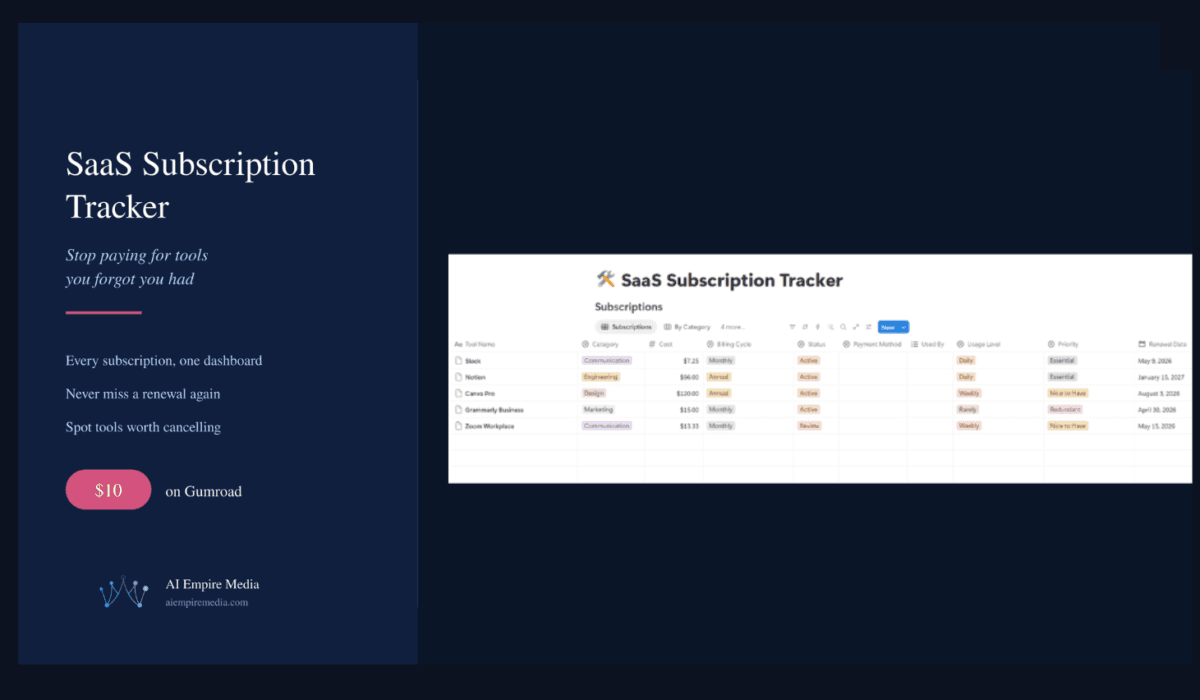
I packaged the whole system into a Notion template: the SaaS Subscription Tracker. It’s the same structure I use to keep my own tools across multiple businesses in one view, and it runs entirely on Notion’s free plan.
What’s included:
A complete subscription database with smart categorization (Engineering, Marketing, Design, Communication, and more). Auto-calculated monthly-equivalent cost, so annual and monthly tools compare instantly on the same terms. A renewal calendar so you’re never surprised by a charge. A “Needs Review” filter that automatically flags tools you rarely use but still pay for. A cost-ranking view to see your most expensive tools at a glance. A board view organized by category. And a monthly spend report with linked dashboard views, so your total is always one click away.
For anyone managing tools across several categories or several businesses, this kind of visibility is the difference between deliberate spending and quiet waste. It pairs naturally with actually choosing the right tools in the first place, which we cover in our guide to the AI tools a small business owner needs in 2026.
Start With Your Credit Card Statement
You don’t even need a system to begin. Open your last three credit card statements and highlight every recurring charge. Add them up. That number tends to surprise people, and the surprise is the point.
Then decide how you want to keep track of it going forward: in your head (you won’t), in a spreadsheet you’ll abandon after two weeks, or in a SaaS subscription tracker that flags waste for you automatically. The first option is how the waste accumulated in the first place. The third is how it stops.
FAQs About Tracking SaaS Subscriptions
What is a SaaS subscription tracker?
It’s a single system, ideally a simple database, that logs every software subscription you pay for, along with its cost (normalized to a monthly figure), billing cycle, usage level, and renewal date. The point is to turn scattered, invisible spend into one clear view so you can see your total, spot unused tools, and catch renewals before they charge.
How much do businesses actually waste on SaaS?
Industry research, including Gartner, consistently puts SaaS waste at roughly 25-30% of spend, driven by unused licenses, duplicate tools, and forgotten subscriptions. Around half of SaaS licenses go unused within 90 days. For a business spending $2,000/month on software, that implies several hundred dollars of avoidable waste every month.
How do I find subscriptions I forgot I’m paying for?
Start with your last three credit card and PayPal statements and highlight every recurring charge, then check your inbox for annual renewal receipts (those are the easiest to miss since they only bill once a year). Log everything into a SaaS subscription tracker with its cost and renewal date, and the forgotten ones become obvious immediately.
Do I really need a tool, or is a spreadsheet enough?
A spreadsheet can hold the list, but it won’t automatically flag tools you’ve stopped using or warn you about upcoming renewals, so most people abandon it. A purpose-built SaaS subscription tracker adds the two things that actually save money: automatic “you’re paying but not using this” flags and a renewal calendar. The Notion template above does both and runs on the free plan.
How often should I review my subscriptions?
Once a month is plenty. The first full audit takes an hour or two because you’re building the list from scratch; after that, a monthly glance at the dashboard, plus adding new tools as you subscribe, keeps it current in a few minutes. That monthly check is what catches waste early instead of a year later.
The Bottom Line
Subscription sprawl is one of the most common and least-noticed ways businesses lose money, and it’s rarely about any single expensive tool. It’s the cumulative drift of duplicate tools, zombie trials, and autopilot renewals that no one is tracking. With industry waste estimates around 25-30% of SaaS spend, the amount hiding in a typical stack is real.
The fix isn’t discipline, it’s visibility. A simple SaaS subscription tracker that shows your total monthly spend, flags what you’ve stopped using, and warns you before renewals hit turns invisible waste into decisions you actually make. If you’d rather not build it from scratch, the SaaS Subscription Tracker packages the whole system into a Notion template you can start using today, and the first pass usually pays for itself.

Mahdi Ayadi writes and edits AI Empire Media. He covers AI models, tools and pricing with one question in mind: is this actually worth paying for?
Before writing about software, Mahdi spent more than seven years selling it, in B2B SaaS sales and account management across cybersecurity, marketing technology and travel technology. That experience shapes how he reads vendor pricing pages, benchmark claims and feature lists, and it’s why his articles focus on real costs, trade-offs and sources readers can check for themselves.
He also builds AI-powered automation for sales and onboarding workflows, which informs his coverage of AI agents and automation tools. He works in English, French, Arabic and Russian.