
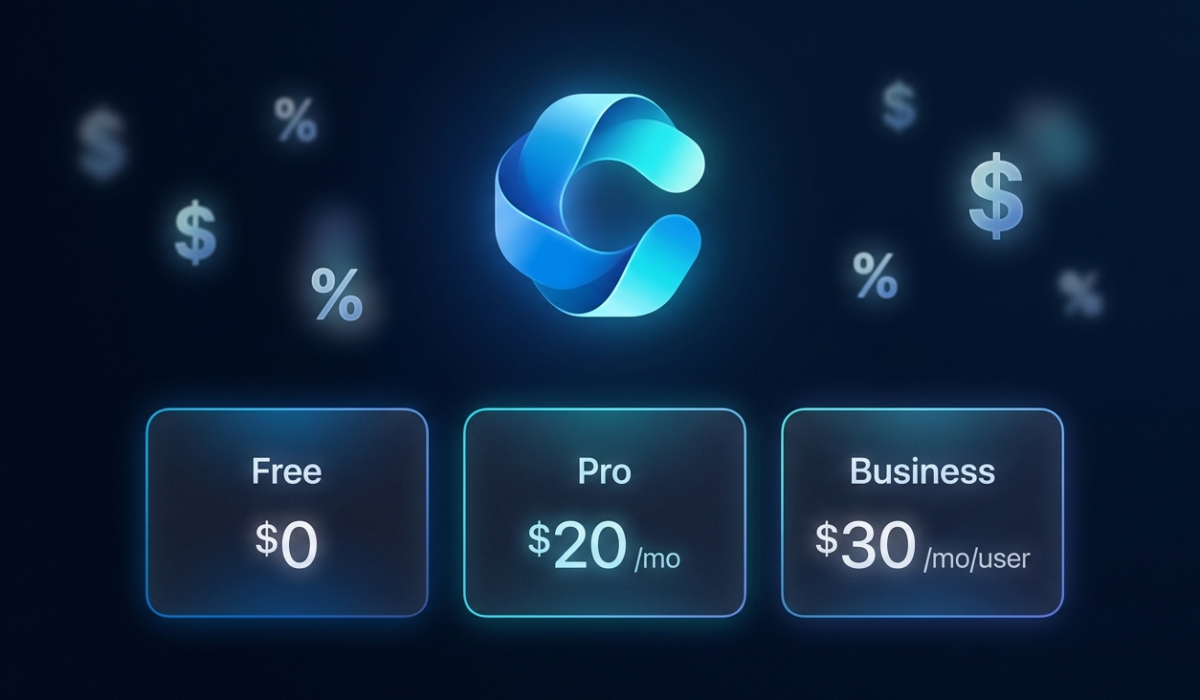
Copilot AI pricing in 2026 is one of the most confusing pricing structures in the entire AI industry. Microsoft offers a free tier, a $20/month Pro plan, a $30/month business plan, and several Microsoft 365 bundles — each with different features, different limitations, and different hidden costs that Microsoft doesn’t make obvious. After spending weeks comparing every Copilot AI pricing tier against competitors like ChatGPT and Claude, I’m breaking down exactly what you’ll pay, what you’ll actually get, and where Microsoft quietly charges you more than you expect.
If you’re considering Copilot for personal use or your business, understanding the real Copilot AI pricing goes far beyond the advertised numbers. The gaps between tiers are massive, and choosing wrong could mean paying double for features you don’t need — or missing critical capabilities that would save you hours every week.
Copilot AI Pricing 2026: Every Plan Explained
Microsoft’s Copilot AI pricing structure has four distinct tiers in 2026, each targeting a different user. Here’s the complete breakdown with no marketing spin — just what you actually get for your money.
Copilot Free — The $0 Entry Point
The free Copilot AI pricing tier gives you access to GPT-4 for basic conversations, web search with citations, and limited image generation through DALL-E 3. It works through the browser at copilot.microsoft.com or the mobile app.
What Microsoft doesn’t highlight: the free tier has strict daily usage caps. During peak hours, you’ll hit rate limits quickly — sometimes after just 15-20 conversations. Image generation is capped at approximately 15 images per day. There’s no Office integration whatsoever, meaning Copilot in Word, Excel, PowerPoint, and Outlook requires a paid plan.
For casual users who want a free ChatGPT alternative with web search built in, the free Copilot AI pricing tier is genuinely competitive. But if you’re trying to use it for real work, you’ll hit the walls fast.
Copilot Pro — $20/Month for Individuals
Copilot Pro is where the Copilot AI pricing gets interesting — and where the hidden costs begin. For $20/month, you get priority access to GPT-4 and GPT-4 Turbo during peak times, higher usage limits, faster response times, and AI-generated audio that transforms content into listening experiences.
The headline feature is Copilot integration in Microsoft Office apps. But here’s the catch that trips up almost everyone: you need a separate Microsoft 365 subscription to use Copilot in Office apps. Copilot Pro at $20/month PLUS Microsoft 365 Personal at $9.99/month means your real cost is $29.99/month — not the $20 that Microsoft advertises.
If you already pay for Microsoft 365, then Copilot Pro’s Copilot AI pricing is genuinely $20 additional. But if you don’t, the total investment is 50% higher than the sticker price. This is the single biggest hidden cost in the entire Copilot AI pricing structure, and Microsoft buries it in the fine print.
Microsoft 365 Copilot for Business — $30/User/Month
The business tier of Copilot AI pricing targets organizations and comes with the full enterprise feature set: Copilot in Teams meetings (live summaries, action items, transcription), Copilot in SharePoint and OneDrive, advanced data analysis in Excel, and enterprise-grade security and compliance.
At $30/user/month billed annually, this sits on top of your existing Microsoft 365 Business subscription ($12.50-22/user/month). So the total Copilot AI pricing for a business user is actually $42.50-52/user/month. For a team of 10, that’s $425-520/month — over $5,000 per year.
The ROI question is critical at this price point. Microsoft claims Copilot saves the average knowledge worker 11 hours per month. At a $50/hour fully loaded employee cost, that’s $550/month in saved productivity versus $52/month in Copilot AI pricing. The math works — but only if your team actually adopts the tool consistently.
There’s also a promotional rate to be aware of: through June 2026, Copilot Business is available at $18/user/month (annual commitment) in some markets. If you’re considering the business tier, locking in before this promotion ends could save significant money.
Microsoft 365 Personal and Premium Bundles
Microsoft also offers Copilot bundled into Microsoft 365 subscriptions. The Microsoft 365 Personal plan at $9.99/month includes basic Copilot features. The Premium plan at $19.99/month includes Copilot Pro features plus the full Office suite — making it the best value in Copilot AI pricing if you need both Office and AI.
This is actually the smartest Copilot AI pricing option that most people overlook. Instead of paying $20/month for Copilot Pro plus $9.99/month for Microsoft 365 Personal ($29.99 total), the Premium bundle gives you everything for $19.99. That’s $10/month savings, or $120/year — simply by choosing the right plan.
The Hidden Costs of Copilot AI Pricing Nobody Talks About
Beyond the subscription fees, Copilot AI pricing has several costs that don’t appear on the pricing page. Understanding these before committing saves real money.
Hidden Cost #1: The Microsoft 365 Requirement
As mentioned above, Copilot Pro’s Office integration requires a separate Microsoft 365 subscription. If you’re a Google Workspace user considering a switch to Microsoft just for Copilot, add $9.99-22/month to your Copilot AI pricing calculation. Plus factor in the switching cost — migrating files, retraining workflows, and the productivity dip during transition.
Hidden Cost #2: Feature Gaps Between Tiers
The free-to-Pro upgrade isn’t gradual — it’s a cliff. Free Copilot can’t access your files, can’t work inside Office apps, can’t create presentations, and can’t analyze your Excel data. The moment you need any integration with your actual work, free becomes useless and Pro becomes mandatory. This design is intentional in Microsoft’s pricing strategy: give enough to hook you, then gate everything productive behind the paywall.
Hidden Cost #3: Per-User Business Pricing Adds Up Fast
Business Copilot AI pricing is per-user, not per-organization. Every employee who needs access pays $30/month individually. For a 50-person company, that’s $18,000/year in Copilot licensing alone — on top of existing Microsoft 365 costs. Many organizations start with a pilot group of 5-10 users before rolling out company-wide.
Hidden Cost #4: Training and Adoption
Microsoft’s research shows that only 60% of Copilot licenses are actively used after 90 days. The other 40% represent pure waste in your AI budget. Without proper training and change management, you’re paying for seats that nobody uses. Budget $500-2,000 for initial team training to maximize your investment.
Hidden Cost #5: Data Privacy and Compliance
For businesses in regulated industries (healthcare, finance, legal), Copilot’s enterprise tier requires additional compliance configuration. While not a direct Copilot AI pricing cost, the IT hours required to set up data loss prevention policies, sensitivity labels, and compliance boundaries add to total cost of ownership. Factor this into your overall spending analysis.
Copilot AI Pricing History: How Costs Have Changed
Understanding how Microsoft has adjusted its pricing strategy helps predict where costs are heading. When Copilot Pro first launched in January 2024, it was $20/month with limited Office integration and no GPT-4 Turbo access. By mid-2024, Microsoft added GPT-4 Turbo and improved the Office integration significantly — same price, more value.
The business tier has seen more dramatic changes. Microsoft 365 Copilot launched at $30/user/month in November 2023 with a 300-seat minimum for enterprise customers. That minimum was dropped in January 2025, opening business pricing to small teams. The promotional rate of $18/user/month introduced in early 2026 signals Microsoft is prioritizing adoption over revenue per seat.
Looking ahead, Microsoft’s pattern suggests that AI capabilities will increasingly be bundled into existing Microsoft 365 subscriptions rather than sold separately. The Premium bundle at $19.99/month already demonstrates this trend. By 2027, it’s plausible that basic AI features currently in the paid tier will migrate to free, while advanced enterprise capabilities command premium pricing. This makes locking in current rates strategically smart.
What Microsoft Copilot AI Actually Does: Feature Deep Dive
Before committing to any tier, understanding exactly what Copilot does in each Office app helps justify the investment. In Microsoft Word, Copilot drafts documents from prompts, rewrites sections in different tones, summarizes lengthy documents, and generates content based on your existing files. The quality is genuinely impressive for first drafts — typically saving 30-45 minutes per document.
In Excel, Copilot analyzes data, creates formulas from natural language descriptions, generates charts, and identifies trends. Ask “what’s driving revenue growth this quarter?” and Copilot produces an analysis with visualizations. For anyone who spends hours wrestling with VLOOKUP and pivot tables, this alone can justify the investment.
In PowerPoint, Copilot creates entire presentations from a Word document, a prompt, or an outline. The generated slides include relevant layouts, images, and speaker notes. In Microsoft Teams, Copilot provides real-time meeting summaries, captures action items, and generates follow-up emails — arguably the most productivity-transforming feature for managers drowning in back-to-back meetings.
In Outlook, Copilot drafts email replies, summarizes long email threads, and prioritizes your inbox based on importance. The time savings compound quickly: if Copilot saves 5 minutes per email across 20 emails per day, that’s 100 minutes daily — over 8 hours per week of reclaimed productivity. At any reasonable hourly rate, the subscription pays for itself within the first week.
Copilot AI Pricing vs ChatGPT vs Claude: The Real Comparison
To understand whether Copilot AI pricing offers good value, you need to compare it against the two main competitors. Here’s the honest breakdown based on months of using all three.
Free tiers: Copilot Free offers web search and GPT-4 access — more generous than ChatGPT free (GPT-3.5 only) but less capable than Claude free (excellent reasoning, longer context). For zero-cost AI, Claude’s free tier wins on quality while Copilot wins on features.
$20/month tier: All three charge $20/month for their premium individual plans. ChatGPT Plus gets you GPT-4o with vision and DALL-E. Claude Pro gets superior reasoning and 200K context window. Copilot Pro gets Office integration. If you live in Microsoft’s ecosystem, Copilot wins. For pure AI capability, Claude edges ahead.
Business tier: Copilot for Business at $30/user/month competes with ChatGPT Enterprise (custom pricing, typically $40-60/user/month) and Claude for Business ($30/user/month). Copilot’s advantage is native Microsoft 365 integration. ChatGPT’s advantage is custom GPTs and broader model selection. Claude’s advantage is document analysis and reasoning.
The bottom line on Copilot AI pricing versus competitors: Copilot is the best value if you already pay for Microsoft 365. If you don’t, ChatGPT Plus or Claude Pro offer more AI capability per dollar without requiring additional subscriptions.
Real-World ROI: Is Copilot AI Worth the Investment?
Microsoft commissioned a study through Boston Consulting Group that found Copilot users completed tasks 29% faster and produced 40% higher quality work compared to non-users. Those are impressive numbers, but they come from Microsoft’s own research — so let’s look at independent data.
Forrester Research conducted a Total Economic Impact study and found that organizations deploying Microsoft 365 Copilot saw a 400% ROI over three years, with payback within six months. The productivity gains came primarily from reduced meeting time (30% fewer follow-up meetings thanks to AI summaries), faster document creation (50% time savings on first drafts), and improved data analysis in Excel (saving analysts 4-6 hours per week).
However, the same research showed that ROI varies dramatically by role. Knowledge workers who write documents, analyze data, and attend meetings daily see the highest returns. Administrative staff, field workers, and roles that don’t involve heavy Office use see minimal benefit. This means blanket deployment across an entire organization wastes money on seats that generate no return.
My recommendation for businesses evaluating the investment: calculate your average employee’s hourly cost, estimate the hours saved per week based on their specific role, and compare that against the monthly per-seat cost. If the math doesn’t work for a particular role, don’t buy that seat. Selective deployment beats universal licensing every time when it comes to maximizing your return on this investment.
Who Should Pay for Copilot AI? Decision Framework
Based on my analysis of Copilot AI pricing and features, here’s who should choose each tier:
Stick with Free if: You need occasional AI help for web research, brainstorming, or simple questions. You don’t use Microsoft Office heavily. You’re comfortable with daily usage limits and slower peak-time responses.
Choose Microsoft 365 Premium ($19.99/month) if: You need both Office apps AND AI assistance. This is the best Copilot AI pricing value — Office suite plus Copilot Pro features in one subscription. Best for freelancers, students, and solopreneurs.
Choose Copilot Pro ($20/month) if: You already have Microsoft 365 and want to add AI. Heavy Word, Excel, and PowerPoint users who create documents, analyze data, and build presentations daily will see immediate ROI.
Choose Business ($30/user/month) if: Your team collaborates in Teams, SharePoint, and Outlook. The meeting summaries, email drafting, and collaborative features justify the enterprise Copilot AI pricing. Start with a pilot of 5-10 users before full rollout.
Skip Copilot entirely if: You use Google Workspace, don’t need Office integration, or primarily need AI for coding (GitHub Copilot is separate at $10/month). In these cases, ChatGPT Plus or Claude Pro offer better Copilot AI pricing alternatives.
Copilot AI Pricing: Smart Ways to Save Money
After analyzing every angle of Copilot AI pricing, here are five practical ways to minimize costs without sacrificing capability.
Tip 1: Choose the Microsoft 365 Premium bundle ($19.99) over buying Copilot Pro ($20) plus Microsoft 365 ($9.99) separately. Same features, saves $120/year.
Tip 2: Lock in the business promotional rate ($18/user/month) before June 2026. This saves $144 per user annually compared to standard Copilot AI pricing.
Tip 3: Start with annual billing. Monthly billing for business plans costs $31.50/user/month versus $30 with annual commitment. Over a year, that’s $18 per user saved.
Tip 4: Audit licenses quarterly. If 40% of seats go unused after 90 days, you’re burning money. Reassign inactive licenses or reduce your seat count to optimize your spending.
Tip 5: Use the free tier strategically. For tasks that don’t require Office integration — research, brainstorming, image generation — the free tier works fine. Reserve paid features for productivity-critical work. For a broader perspective on AI tool costs, check our analysis of hidden costs across AI platforms.
Frequently Asked Questions
Is Microsoft Copilot AI free in 2026?
Yes, Microsoft offers a free Copilot AI tier with basic GPT-4 access, web search, and image generation. However, the free plan has strict daily usage limits, no Office integration, and slower response times during peak hours. For unlimited access and premium features, Copilot Pro costs $20 per month.
How much does Copilot AI cost per month?
Copilot AI pricing in 2026 ranges from free to $30 per user per month. The free tier costs nothing, Copilot Pro costs $20 per month for individuals, and Microsoft 365 Copilot for Business costs $30 per user per month on top of your existing Microsoft 365 subscription.
Is Copilot Pro worth $20 per month?
Copilot Pro is worth it if you use Microsoft Office daily. The AI integration in Word, Excel, PowerPoint, and Outlook saves 5-10 hours per week for heavy users. If you only need basic AI chat, the free tier or ChatGPT Plus at $20 per month offer better value.
What is the biggest hidden cost of Copilot AI?
The biggest hidden cost is the Microsoft 365 subscription requirement. Copilot Pro at $20 per month only integrates with Office apps if you also pay $9.99 to $22 per month for Microsoft 365. Your real cost is $30 to $42 per month, not the advertised $20.
How does Copilot AI pricing compare to ChatGPT and Claude?
Copilot AI free tier is more generous than ChatGPT free but less capable than Claude free. At the paid level, Copilot Pro at $20 per month matches ChatGPT Plus pricing but includes Office integration. Claude Pro at $20 per month offers better reasoning. For pure value, Copilot wins if you live in the Microsoft ecosystem.