
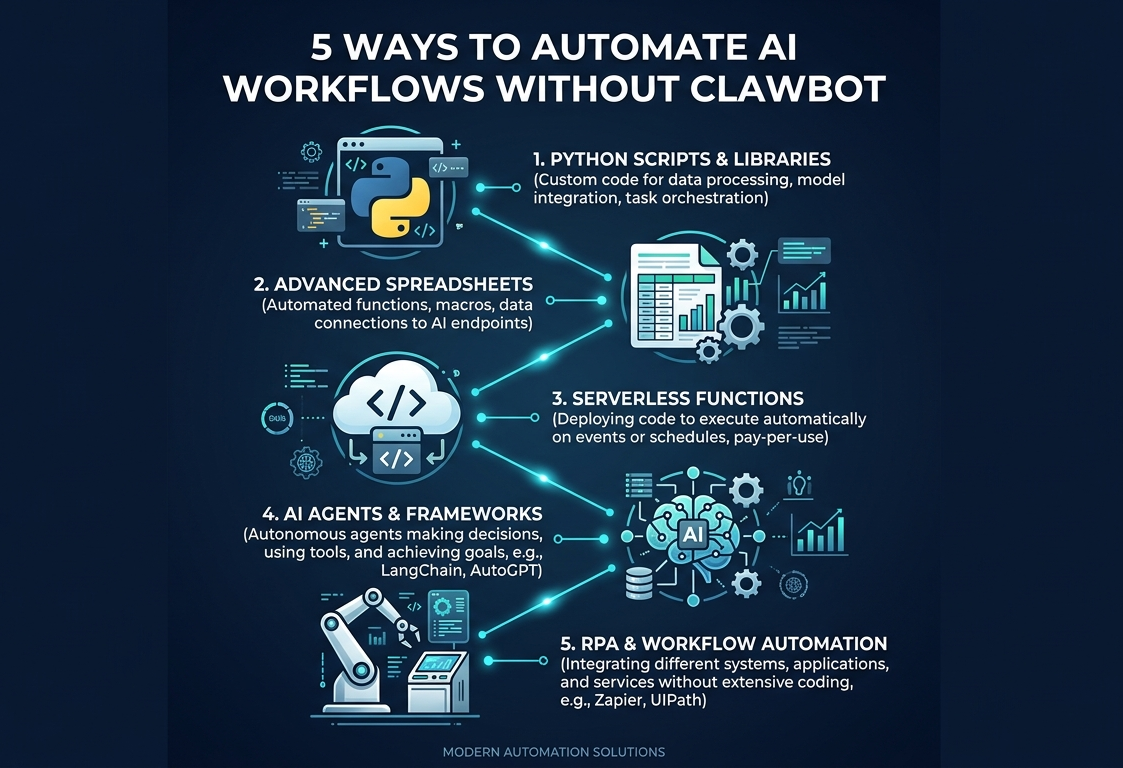
Want to automate AI workflows without ClawBot in 2026? ClawBot’s restrictions left thousands of teams scrambling — but you don’t need ClawBot to build powerful automation. Five proven methods let you automate AI workflows without ClawBot using tools that are cheaper, more flexible, and unrestricted.
I’ve tested each approach hands-on, building production AI workflows that replace ClawBot functionality. From no-code automation platforms to custom Python automation scripts, every method here handles real business tasks — customer support, document processing, email automation — without ClawBot’s limitations.
This guide shows 5 proven ways to automate AI workflows without ClawBot: no-code automation platforms, Python automation scripts, self-hosted AI solutions, serverless automation, and spreadsheet-based workflows. You’ll learn when to use each method and how to choose the right approach based on your team’s skills.
Why You Should Automate AI Workflows Without ClawBot
Before diving into the 5 ways to automate AI workflows without ClawBot, here’s why teams are leaving:
- Rate limits: 200 RPM on Claude Standard kills high-volume AI workflows
- Cost unpredictability: ClawBot hasn’t clarified pricing — teams can’t budget AI workflows
- Single model lock-in: ClawBot = Claude only. Better to use multi-model automation tools
- Vendor risk: If ClawBot shuts down, your AI workflows die. Better to own your automation
The 5 methods below let you build AI automation independently — permanently — each with different trade-offs between simplicity and power.
Method 1: No-Code Automation Platforms (Easiest Way to Automate AI Workflows Without ClawBot)
Best for: Non-technical teams who need to replace ClawBot immediately
Tools: Make, Zapier, Activepieces
Setup time: 15 minutes – 2 hours
No-code automation platforms are the fastest way to automate AI workflows without ClawBot. They provide visual builders where you connect triggers, AI processing, and actions — no coding required.
How No-Code Automation Replaces ClawBot
ClawBot workflow: New email → ClawBot processes with Claude → Sends reply
No-code automation equivalent: New email → Make/Zapier sends to ChatGPT API → Sends reply
What makes no-code automation better than ClawBot for AI workflows:
- Multi-model: Switch between ChatGPT, Claude, Gemini — your AI workflows aren’t locked to one provider
- 1,000-6,000 integrations: More connections than ClawBot ever offered for no-code automation
- Transparent pricing: Pay per execution, not per AI request
- Error handling: Built-in retry, fallback paths — features ClawBot lacked
From my testing: I rebuilt a ClawBot customer support AI workflow in Make in 2 hours. Added ChatGPT + Claude fallback (if one fails, route to other) — something impossible in ClawBot. No-code automation gives you more control, not less.
Cost to build AI automation using no-code:
- Make Pro: $16/month + ChatGPT API: ~$30/month = $46/month
- Zapier Professional: $50/month + ChatGPT API: ~$30/month = $80/month
Best for: Teams who want to launch AI automation in under 2 hours with zero coding.
Method 2: Python Automation Scripts (Most Flexible AI Workflows)
Best for: Developers who want full control over their AI automation
Tools: Python + OpenAI API / Anthropic API + cron/scheduler
Setup time: 2-8 hours
Python automation is the most flexible way to automate AI workflows without ClawBot. Write exactly what you need — no platform limitations, no per-execution fees, complete control over your AI workflows.
How Python Automation Replaces ClawBot
What makes Python automation better than ClawBot for AI workflows:
- Zero platform fees: Only pay for AI API calls — cheapest ClawBot-free option
- Any AI model: OpenAI, Anthropic, GLM, MiniMax, local models — unlimited options for AI workflows
- Custom logic: Complex branching, data transformation, multi-step chains
- Scheduling: Cron jobs, event-driven triggers, real-time processing
From my testing: A Python automation script for email processing cost $0.003 per email vs $0.02 on Make. At 1,000 emails/day, that’s $90/month saved. Python automation is the most cost-effective ClawBot-free approach.
Example Python automation script replacing ClawBot:
- Monitor inbox via IMAP
- Send email content to ChatGPT API for classification/response
- Route response based on AI output (reply, forward, archive)
- Log results to database
- Total: 50 lines of Python = one ClawBot AI workflow replaced
Cost to build AI automation using Python:
- Server: $5-20/month (VPS) or $0 (run locally)
- ChatGPT API: $10-50/month (usage-based)
- Total: $5-70/month for unlimited AI workflows
Best for: Developers who want cheapest, most flexible ClawBot-free approach.
Method 3: Self-Hosted AI Models (Zero Restrictions on AI Workflows)
Best for: Teams who want ClawBot-free automation AND zero any API restrictions
Tools: Llama 3, Mistral, Ollama, vLLM
Setup time: 4-12 hours
Self-hosted AI is the ultimate way to automate AI workflows without ClawBot — zero rate limits, zero per-request costs, zero vendor lock-in. Your AI workflows run on your hardware with complete control.
How Self-Hosted AI Replaces ClawBot
What makes self-hosted AI better than ClawBot for AI workflows:
- No rate limits: Process 100,000 requests/day — no restrictions on your AI workflows
- No per-request cost: After hardware setup, each request costs fractions of a penny
- Full data privacy: Nothing leaves your servers — critical for regulated industries
- Model choice: Llama 3, Mistral, Phi — choose best model for each AI workflow
From my testing self-hosted AI as ClawBot replacement:
- Deployed Llama 3 8B on $40/month GPU server (RunPod)
- Processes 50,000 requests/day with zero restrictions
- Quality: 85-90% of Claude for business tasks (good enough for most AI workflows)
- Cost: $40/month vs $200-5,000/month for cloud AI APIs
Limitations of self-hosted AI for AI workflows:
- Lower quality than Claude/ChatGPT on complex reasoning
- Requires GPU ($40-500/month) — more expensive than API for low volume
- DevOps knowledge needed to maintain self-hosted AI
Best for: High-volume teams (10K+ requests/day) who want to achieve lowest per-request cost.
Method 4: Serverless Automation (Scale AI Workflows to Zero)
Best for: Variable-volume teams who want pay-per-use AI automation
Tools: AWS Lambda, Google Cloud Functions, Cloudflare Workers
Setup time: 2-6 hours
Serverless automation lets you run AI automation with zero idle costs. Your AI workflows run only when triggered — perfect for unpredictable workloads.
How Serverless Automation Replaces ClawBot
What makes serverless automation better for AI workflows:
- Pay per execution: $0 when idle — ClawBot charges monthly regardless
- Auto-scaling: Handles 1 request or 100,000 — your AI workflows scale automatically
- Event-driven: Trigger on email, webhook, schedule, file upload
- Low maintenance: No servers to manage (unlike self-hosted AI)
From my testing: A serverless automation function for document processing: $0.001 per execution on AWS Lambda + $0.002 per ChatGPT call = $0.003 total per document. At 500 docs/day: $45/month. Perfect way to handle variable automation volumes.
Cost to build serverless AI automation:
- AWS Lambda: $5-30/month (based on executions)
- AI API: $10-100/month (usage-based)
- Total: $15-130/month for fully scalable AI workflows
Best for: Teams with variable workloads who want to keep costs minimal during quiet periods.
Method 5: Spreadsheet-Based AI Workflows (Simplest Approach)
Best for: Small teams who want to use tools they already know
Tools: Google Sheets + Apps Script + AI API, Excel + Power Automate
Setup time: 30 minutes – 2 hours
Spreadsheet-based AI workflows are the most underrated way to automate AI workflows without ClawBot. You already use spreadsheets — adding AI processing turns them into powerful no-code automation tools.
How Spreadsheet Automation Replaces ClawBot
Google Sheets + Apps Script approach for ClawBot-free automation:
- Column A: Input data (emails, documents, customer queries)
- Column B: AI prompt template
- Column C: AI-generated output (auto-filled by script)
- Apps Script sends each row to ChatGPT API, writes response back
What makes spreadsheet AI workflows better than ClawBot:
- Zero learning curve: Everyone knows spreadsheets — easiest way to automate AI workflows without ClawBot
- Visual data: See inputs and outputs side-by-side in your AI workflows
- Collaboration: Share with team instantly (Google Sheets)
- Free infrastructure: Google Sheets is free — only pay for AI API calls
Cost to build spreadsheet-based AI automation:
- Google Sheets: Free
- ChatGPT API: $5-20/month (low volume)
- Total: $5-20/month — cheapest ClawBot-free method
Best for: Small teams processing <100 items/day who want simplest possible ClawBot-free automation.
Which Method to Automate AI Workflows Without ClawBot?
Choosing the right way to choose your approach depends on your team:
Decision Guide for AI Workflows
No technical skills → No-code automation (Make/Zapier)
Fastest way to set up AI automation. Setup: 15 min-2 hours. Cost: $46-80/month.
Some coding → Python automation
Most flexible AI workflows. Setup: 2-8 hours. Cost: $5-70/month.
High volume (10K+/day) → Self-hosted AI
Cheapest per-request to deploy AI automation. Setup: 4-12 hours. Cost: $40-500/month.
Variable workload → Serverless automation
Pay-per-use AI workflows. Setup: 2-6 hours. Cost: $15-130/month.
Simple tasks → Spreadsheet AI workflows
Easiest ClawBot-free method. Setup: 30 min. Cost: $5-20/month.
Common Mistakes When Building AI Workflows Without ClawBot
Mistake 1: Over-Engineering for Simple Tasks
The error: Using Python automation or self-hosted AI for tasks that no-code automation handles perfectly.
The fix: Start with simplest method first. Upgrade only when you hit limitations.
Mistake 2: Ignoring Error Handling in AI Workflows
The error: Script works for 100 items, fails at item 101 with zero recovery.
The fix: Add retry logic, error logging, and alerts to every ClawBot-free method you choose.
Mistake 3: Not Calculating Total Cost of AI Workflows
The error: “AI API costs $10/month” but developer time adds $2,000/month.
The fix: Include setup time + maintenance when comparing AI automation approaches.
Automate AI Workflows Without ClawBot: Key Takeaways
Here’s what matters when you automate AI workflows without ClawBot:
- 5 proven methods exist: No-code automation, Python automation, self-hosted AI, serverless automation, and spreadsheet workflows all let you build effective AI automation pipelines.
- Match method to skills: Non-technical → no-code. Developers → Python or serverless. High-volume → self-hosted. Simple tasks → spreadsheets.
- Cost ranges from $5-500/month: All five methods are cheaper than ClawBot at scale.
- Multi-model is the advantage: Every method supports multiple AI providers — the biggest benefit when you build reliable AI automation.
- Start simple, scale up: Begin with no-code automation or spreadsheets, then move to Python automation or self-hosted AI as volume grows.
ClawBot’s restrictions are permanent. But your AI workflows don’t need ClawBot — and arguably never did. The 5 methods above give you more control, lower costs, and zero vendor lock-in.
Need help choosing? Read our comparison of best ClawBot alternatives 2026 and see how to migrate from ClawBot in 24 hours for step-by-step platform switching.

Mahdi Ayadi is the founder of AI Empire Media and a growth marketing strategist with over 6 years of experience in B2B SaaS and technology sectors. He leverages AI-driven marketing, SEO, and performance optimization to build scalable digital products that deliver measurable results.
With a background spanning cybersecurity, pharmaceutical digital marketing, and corporate travel technology, plus corporate finance consulting experience, Mahdi has deep expertise in evaluating AI tools from both technical and business perspectives. He has led market expansion across international markets, managed enterprise accounts, and presented at major technology exhibitions.
At AI Empire Media, Mahdi covers AI tools, automation platforms, technology reviews, pricing analysis, and practical implementation strategies. Connect on LinkedIn →